
Allegro for Shopify: offers and orders
Allegro is Poland's dominant marketplace and also runs allegro.cz, allegro.sk and allegro.hu. It does not fetch product feeds. Connect your Allegro account in Feedflock, and after every run of your Allegro feed your offers go to Allegro with price and stock. Orders come back into Shopify every 5 minutes. Allegro is in Beta.
- Allegro feed
- Offers
- Orders
- Wysyłam z Allegro
Beta
Open to every shop as a Beta
Connect your Allegro account under Integrations. Courier pick-ups and dispatch protocols stay in Allegro for now. See pricing
One app
Offers, orders and labels for Allegro in one place
Allegro does not read your feed by itself. After every run, Feedflock sends your offers through your connected account.
- 01
Allegro feed
Your catalog in Allegro's Import & List CSV, regenerated every hour. It is what your offers are sent from.
- 02
Offers
After every run, Feedflock lists the products Allegro knows by EAN and keeps their price and stock current.
- 03
Orders and labels
Paid and cash on delivery orders come into Shopify every 5 minutes. Tracking goes back, and Wysyłam z Allegro books the parcel.
Allegro account
Connected
Connected to Allegro
- Account
- SklepDemo
- Home market
- Allegro.pl
- Send offers to Allegro: on
- Import Allegro orders into Shopify: on
After every run
- 01Feed generated
- 02Rows matched by EAN
- 03Sent to Allegro
- 04Offers updated
Setup
Allegro feed live in five steps
From a bare Shopify store to a listed offer: the whole setup fits into one coffee break.
Prepare your Allegro account
In Allegro Sales Center, set up a shipping price list, return terms, complaint terms and a responsible producer (GPSR). Allegro refuses a new offer without them.
Install Feedflock
Add Feedflock from the Shopify App Store. It reads your products, variants, stock and images directly through the Shopify API.
Create the Allegro feed
Choose the Allegro template. GTIN, EXTERNAL_ID, NAME, STOCK, PRICE, DESCRIPTION, IMAGES, CATEGORY and BRAND are mapped from Shopify. Price it in your home market's currency: PLN, CZK, EUR or HUF.
Connect Allegro and send offers
Under Integrations, click Connect Allegro, log in with the account you sell with and allow access. Pick the price list, terms and producer for new offers, then switch on Send offers to Allegro.
Switch on orders
Switch on Import Allegro orders into Shopify and allow Feedflock to create orders. New orders come in every 5 minutes. Fulfil them in Shopify and Allegro gets the tracking number.
Catch feed issues before Allegro does.
Before every generation Feedflock checks that every field the channel requires is filled, and, on templates verified against the channel's own spec, that the values fit its rules. Most problems are fixed with one click, without editing products in Shopify.
The feed
Your Allegro feed
"GTIN","EXTERNAL_ID","NAME","STOCK","PRICE","DESCRIPTION","IMAGES","CATEGORY","BRAND"
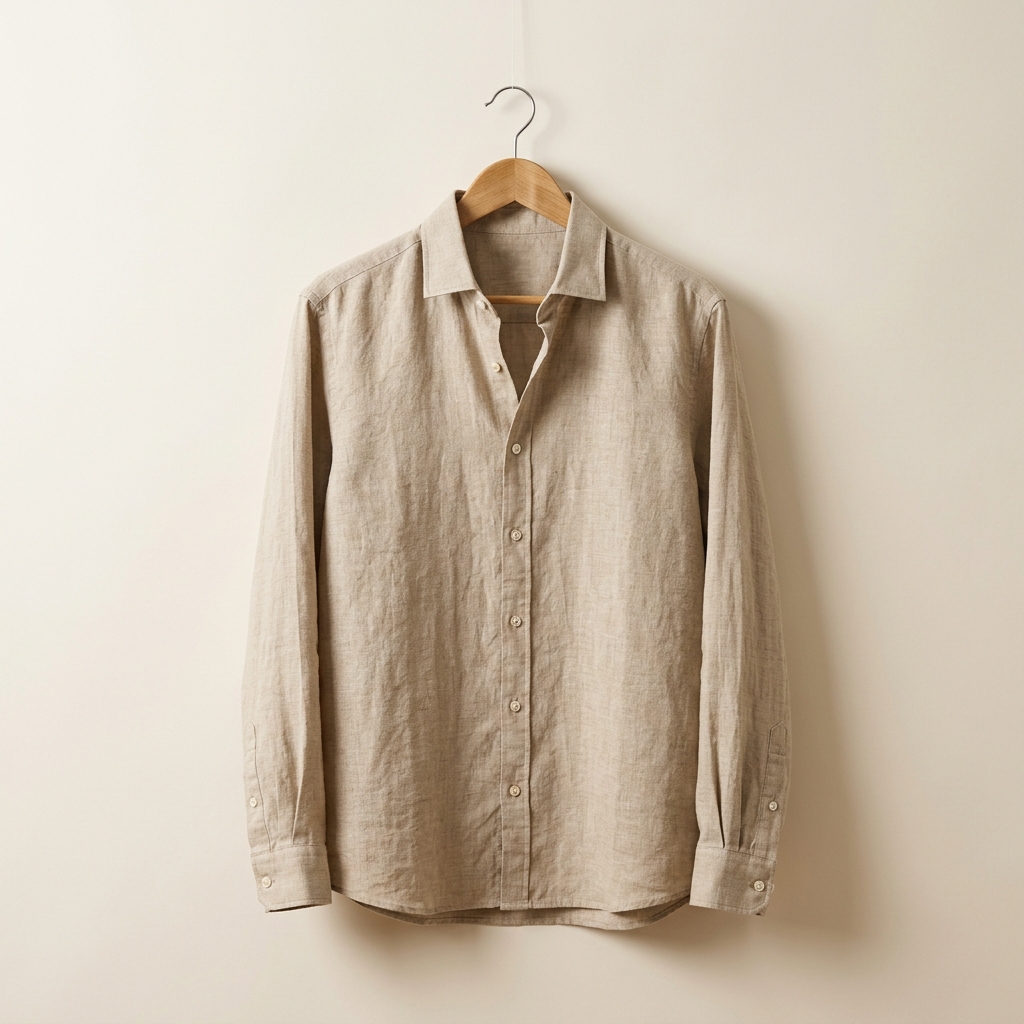
"8594000123453","SKU-2048","Linen shirt Sand","1","219.00","A breathable linen shirt in a regular cut.","https://cdn.shop.example/img/linen-shirt-sand.jpg|https://cdn.shop.example/img/linen-shirt-sand-back.jpg","Men's shirts","Nordlin"
Nordlin
Linen shirt Sand
219 zł
Feed fields
GTIN
8594000123453
EXTERNAL_ID
SKU-2048
NAME
Linen shirt Sand
STOCK
1
PRICE
219.00
DESCRIPTION
A breathable linen shirt in a regular cut.
CATEGORY
Men's shirts
BRAND
Nordlin
The channel
Poland's dominant marketplace
Allegro's gross merchandise value neared PLN 70 billion in 2025. The old MALL sites, mall.cz, mall.sk and mall.hu, now redirect to it.
Four countries, one setup
Sellers based in Poland, Czechia, Slovakia and Hungary connect the same way. An offer can also show on Allegro's other markets when your shipping price list reaches them and it passes Allegro's checks.
The catalogue does the listing
For a product Allegro knows by its EAN, Allegro fills in the category, parameters, photos and description. You bring the price, the stock and your SKU.
The feed
- The Allegro template writes Allegro's own Import & List CSV: UTF-8, comma-separated, column names in the first row, every cell in quotes
- GTIN, EXTERNAL_ID, NAME, STOCK, PRICE, DESCRIPTION, IMAGES, CATEGORY and BRAND are mapped from Shopify out of the box
- STOCK is always a number. A blank cell would mean one unit to Allegro, and oversold variants go out as 0
- Connect your Allegro account and every run lists, prices and stocks your offers by EAN: up to 100 new offers and 2,000 updates per run, the rest on the next one
- A feed in another currency converts to your home market's currency at the ECB daily rate
- Orders come into Shopify every 5 minutes, matched to your variants by SKU, and tracking goes back to Allegro
- Wysyłam z Allegro parcels and A6 labels from the order list, pick-up points and cash on delivery included
What's covered
Allegro without manual imports
Offers
- Products Allegro knows by EAN listed after every feed run
- Price and stock kept current
- Stock 0 ends the offer, new stock brings it back
- Category, parameters and photos from Allegro's catalogue
- No offer ends when the feed suddenly shrinks by half
Orders
- Paid and cash on delivery orders in Shopify every 5 minutes
- No Shopify e-mail to the buyer
- Items matched to your variants by SKU
- Tracking number back to Allegro, order marked sent
- Other currencies converted at the ECB daily rate
Wysyłam z Allegro
- Parcel booked from the order list
- A6 label to download
- Pick-up points and cash on delivery
- A default parcel size when Allegro proposes none
- Also for sellers based in Czechia, Slovakia and Hungary
Beta
Courier pick-ups stay in Allegro for now
Courier pick-ups and dispatch protocols are not in Feedflock yet. You arrange them in Allegro.
Deep dive
Allegro does not fetch your feed
- Import & List reads a
CSVfrom a link or an upload when you click start import - No schedule: Allegro never reads the link again by itself
- Offers listed that way are then edited in My Assortment, not by the file
- Feedflock keeps Allegro current through your Allegro account instead
Technical details
Allegro's Import & List tool takes a CSV as an upload or as a link. You start every import yourself, and Allegro documents no schedule that reads the link again.
Offers listed from the file are then managed in My Assortment. A price or stock change in Shopify does not reach them through the file.
That is why the sync runs through your Allegro account. The feed is the source, and after every run Feedflock sends its rows to Allegro.
Offers come from Allegro's catalogue
- Each row is matched to the Allegro Product Catalog by its
EAN - Allegro fills in the category, parameters, photos and description
- A product Allegro does not know is refused with Allegro's own reason
- Proposing new products to the catalogue is not in Feedflock
Technical details
Feedflock creates catalogue offers. The EAN in each row points to a product in the Allegro Product Catalog, and Allegro fills in the category, parameters, photos and description. Your offer carries your price, stock and SKU.
A product Allegro does not know by its EAN is refused, and the Allegro card shows Allegro's reason. It is tried again after 24 hours or when the row changes. Proposing new products to the catalogue is not built.
Prices, stock and ended offers
PRICEis the gross price as a bare number, in your home market's currency- Stock 0 ends the offer, new stock activates it again
- A variant that leaves the feed ends its offer
- A run with under half the products of the last one ends nothing
Technical details
Prices go to Allegro gross, in your home market's currency: PLN on allegro.pl, CZK on allegro.cz, EUR on allegro.sk and HUF on allegro.hu. A feed in another currency is not sent. Turn on conversion and the feed converts at the ECB daily rate.
Prices on Allegro's other markets are not set by Feedflock. Allegro converts them itself.
Stock 0 ends the offer, and new stock activates it again. A variant that leaves the feed ends too. If a run has under half the products of the last one, nothing ends until the next run confirms it.
Orders into Shopify
- Paid and cash on delivery orders, checked every 5 minutes
- Items match your variants by
SKU, theEXTERNAL_IDof the offer - Cash on delivery comes in as a pending payment, tagged allegro-cod
- Tracking goes back to Allegro and the order is marked sent
Technical details
With orders on, Feedflock checks Allegro every 5 minutes. Paid and cash on delivery orders you ship yourself come into Shopify with no e-mail to the buyer, and Shopify stock goes down. Orders placed before you switched on stay in Allegro.
Items match your variants by SKU, the EXTERNAL_ID sent with every offer. An item with no match comes in as a custom line, tagged allegro-check. Cash on delivery arrives as a pending payment, tagged allegro-cod.
Fulfil the order in Shopify and Allegro gets the tracking number, with the order marked sent. A buyer's cancellation on Allegro cancels the Shopify order. Refunds stay in Allegro.
An order in another currency than your shop's is converted at the ECB daily rate, and its note keeps the original total.
Labels through Wysyłam z Allegro
- Book the parcel from the order list on the Allegro card
- Allegro adds the tracking number to the order
- A6 labels, pick-up points and cash on delivery included
- Courier pick-ups and dispatch protocols stay in Allegro
Technical details
Wysyłam z Allegro is Allegro's own shipping programme. For an order the buyer placed with it, the order list on the Allegro card books the parcel from Allegro's proposal and gives you the A6 label. Allegro adds the tracking number to the order itself.
Pick-up points and cash on delivery work too. When Allegro proposes no parcel size, the card uses the default parcel you save there. Sellers based in Czechia, Slovakia and Hungary can use it with the carriers of their dispatch country.
Courier pick-ups and dispatch protocols are not in Feedflock yet, so you arrange them in Allegro. An order with a carrier outside Wysyłam z Allegro ships with your own carrier: add the tracking number in Shopify and Feedflock sends it to Allegro.
Allegro feed: the takeaway
One Allegro feed from your Shopify catalog, sent to Allegro through your own account after every run. Orders come back into Shopify every 5 minutes, and Wysyłam z Allegro labels are on the order list. Allegro is in Beta, so courier pick-ups and dispatch protocols stay in Allegro for now.
Claude · ChatGPT
Or set up your Allegro feed in chat
Connect Feedflock to Claude or ChatGPT and ask. It creates the Allegro feed as a draft and tells you what is still missing. You approve every change.

 feedflock · mcp
Create an Allegro feed for my store.
I'll create it as a draft and show you each change before I make it.
FAQ


Get on every marketplace that matters this afternoon.
Install free, connect your first feed in minutes, and let Feedflock keep it fresh and validated.