
Okazii.ro feed for Shopify
Okazii.ro is one of Romania's oldest marketplaces, with paid shops for professional sellers. A shop adds products through the automatic import: you paste a feed URL in the shop admin and Okazii reads it every day. Feedflock builds that XML from your Shopify catalog, one listing per variant with price, stock and photos, and refreshes it every hour on a stable URL.
Setup
Okazii.ro feed live in six steps
From a bare Shopify store to a listed offer: the whole setup fits into one coffee break.
Install Feedflock
Add Feedflock from the Shopify App Store. It reads your products, variants, stock and photos through the Shopify API.
Pick the Okazii.ro template
Create a feed from the Okazii.ro template. Each variant becomes its own listing, and the eight elements Okazii requires are mapped from the start.
Paste the URL in your Okazii shop
In the shop admin open Import produse > Import automat > Feed URL and paste your Feedflock URL. Okazii imports feeds only for shops with a subscription.
Switch on removal of sold-out products
If you listed products on Okazii by hand, add them to the feed first, because this option permanently deletes everything that is not in it. Then tick "Elimina din okazii produsele care nu apar in feed". Without it a sold-out listing stays on sale with its old quantity.
Turn on the daily update
Tick "Doresc actualizare zilnica" and pick an hour. Feedflock refreshes the file every hour, so each update reads your current catalog.
Pair your categories
In Administrare catalog > Categorii feed, pair each category of the feed with an Okazii category. Products show on Okazii only once their category is paired.
https://feedflock.app/f/demo/okazii/okazii.xml
Catch feed issues before Okazii.ro does.
Before every generation Feedflock checks that every field the channel requires is filled, and, on templates verified against the channel's own spec, that the values fit its rules. Most problems are fixed with one click, without editing products in Shopify.
The feed
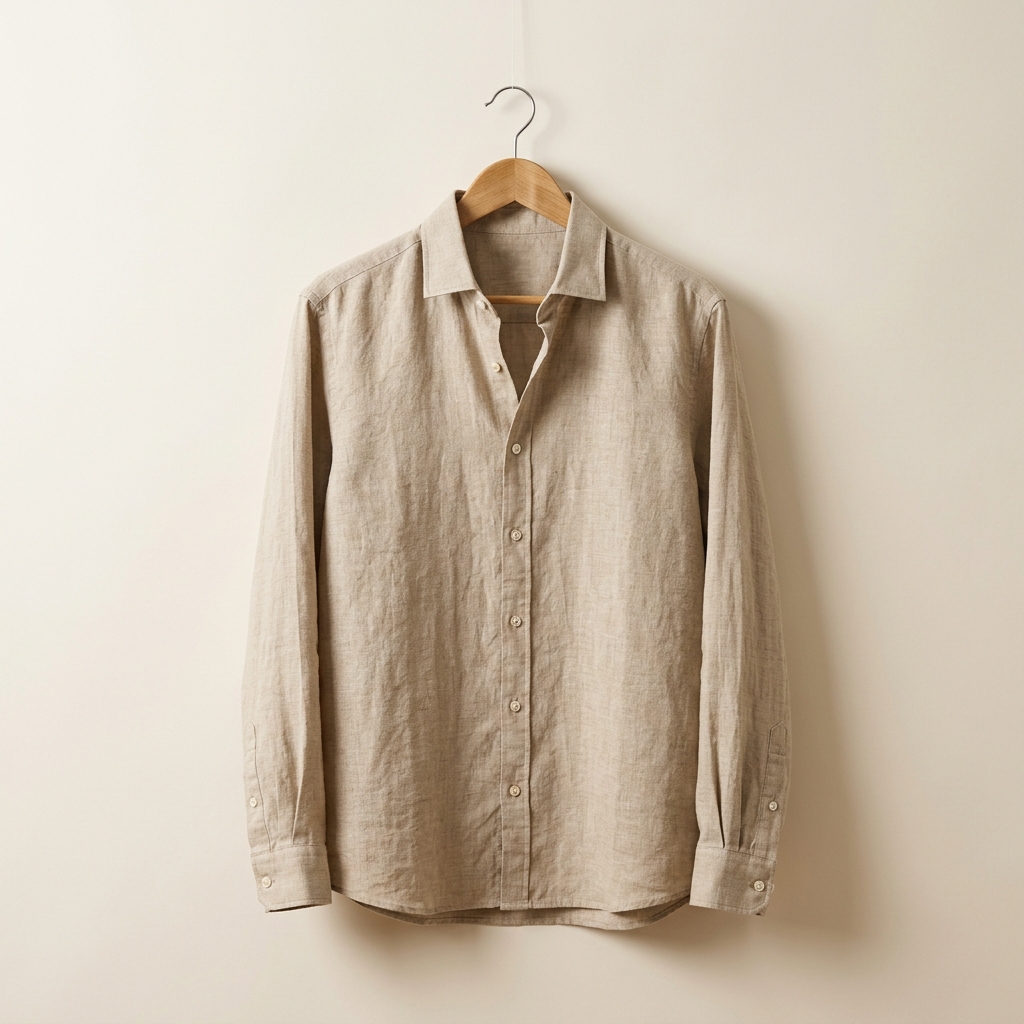
Sample feed: what Okazii.ro receives
<AUCTION> <UNIQUEID>SKU-2048</UNIQUEID> <TITLE>Linen shirt Sand M</TITLE> <CATEGORY>Men's shirts</CATEGORY> <DESCRIPTION><![CDATA[<p>A breathable linen shirt in a regular cut.</p>]]></DESCRIPTION> <PRICE>259.00</PRICE> <CURRENCY>RON</CURRENCY> <AMOUNT>1</AMOUNT> <IN_STOCK>1</IN_STOCK> <BRAND>Nordlin</BRAND> <PHOTOS> <URL>https://cdn.shop.example/img/linen-shirt-sand.jpg</URL> </PHOTOS> <GTIN>8594000123453</GTIN> <STATE>1</STATE> <INVOICE>1</INVOICE> <WARRANTY>1</WARRANTY> <PAYMENT> <AVANS>1</AVANS> </PAYMENT> </AUCTION>
Nordlin
Linen shirt Sand
259 lei
Feed fields
UNIQUEID
SKU-2048
TITLE
Linen shirt Sand M
CATEGORY
Men's shirts
DESCRIPTION
A breathable linen shirt in a regular cut.
PRICE
259.00
CURRENCY
RON
AMOUNT
1
IN_STOCK
1
BRAND
Nordlin
URL
https://cdn.shop.example/img/linen-shirt-sand.jpg
GTIN
8594000123453
STATE
1
INVOICE
1
WARRANTY
1
AVANS
1
The channel
A marketplace Romanians know
Okazii.ro started with auctions and is now a marketplace of fixed-price shops, one of the longest-running in Romania.
Your file, read every day
Okazii keeps reading the feed URL after the first import, so prices and stock stay current without uploading anything by hand.
No developer needed
The import is set up in the shop admin: a URL, a few options and the category pairing. There is no API integration to build.
The feed
- All eight elements Okazii requires filled from Shopify: ID, title, category, description, price, currency, quantity and photo
- One listing per variant, with the variant in the title
- Quantity kept within Okazii's 1 to 100, and 0 for a sold-out variant so its listing closes
- Barcodes sent as 13-digit EANs, the only length Okazii keeps; a UPC or a GTIN-14 that is an EAN in another form is converted
- Your product type as the category, ready to pair in Okazii's panel
- Courier names exactly as Okazii lists them, so it keeps the courier and your price
- Fetch tracking shows when Okazii last read the file
Deep dive
How products reach Okazii
- You paste the feed
URLunder Import produse > Import automat > FeedURL - Okazii reads it every day at the hour you choose, and on demand from the control panel
- Importing needs an Okazii shop subscription; a
PROsubscription also needs a contract - The control panel shows each import: products in the file, validated, added, updated and deleted
Technical details
Okazii takes products from a file on your own URL. You add it once in the shop admin, and from then on Okazii reads it again every day. A manual run from the control panel starts an update right away.
Feedflock hosts that file and rebuilds it every hour from your Shopify catalog. Whenever Okazii reads it, it gets your current prices and stock.
Sold-out products
- A sold-out variant goes out with quantity 0
- With "Elimina din okazii produsele care nu apar in feed" on, Okazii closes that listing
- A product left out of the feed is closed the same way
- When the product is back in stock, the same listing comes back
Technical details
Okazii closes a listing from the feed only while the option "Elimina din okazii produsele care nu apar in feed" is on. Without it, a sold-out product stays on sale with its old quantity. The option also permanently deletes products you listed on Okazii by hand, so add those to the feed before you switch it on.
When a product is back in stock, the next update makes the same listing active again, with the same page. One exception: if every product in the feed is sold out at once, Okazii does not process the file, so close those last listings by hand.
Categories, couriers and attributes
- The file carries your own category, by default the Shopify product type
- You pair each one with an Okazii category under Administrare catalog > Categorii feed
- Couriers must use Okazii's exact names, or Okazii shows a generic courier
- Size and colour work in Okazii's filters only with values from its list
Technical details
Okazii lists every category it finds in the file, and you pair each one with a category of its own. Until then the products stay hidden. A category that appears later needs pairing too.
Delivery is optional in the file. Left empty, your shop's own delivery settings on Okazii apply. When you pick couriers in the template, Feedflock sends them under Okazii's exact names with your price.
One listing per variant
- Each variant has its own ID, title, price, quantity and photo
- The ID is the variant
SKU, or the variant ID when there is noSKU - A listing holds 1 to 100 pieces
- Prices go in with
VAT, in lei
Technical details
On Okazii each listing is one sellable item, so the file has one per variant. The ID has to stay the same for each variant, because Okazii updates and closes listings by it.
Okazii accepts a quantity from 1 to 100 per listing. Feedflock caps larger stock at 100 and sends 0 when a variant is sold out.
Okazii.ro feed: the takeaway
One file that Okazii's automatic import reads every day: the required elements filled, stock that closes sold-out listings and your categories ready to pair. Your Shopify catalog stays the single source of truth, and every update reads its current state.
Claude · ChatGPT
Or set up your Okazii.ro feed in chat
Connect Feedflock to Claude or ChatGPT and ask. It creates the feed as a draft and tells you what is still missing. You approve every change.

 feedflock · mcp
Create a feed for Okazii.ro and tell me what is missing.
I'll create it as a draft and show you each change before I make it.
FAQ
Related feeds
Explore all 108 channelsMore marketplaces


Get on every marketplace that matters this afternoon.
Install free, connect your first feed in minutes, and let Feedflock keep it fresh and validated.